前言 这个是一些比较基础但是Jerry大佬没有整合进去的功能Hexo Butterfly 官方支持
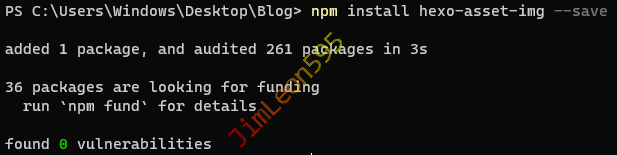
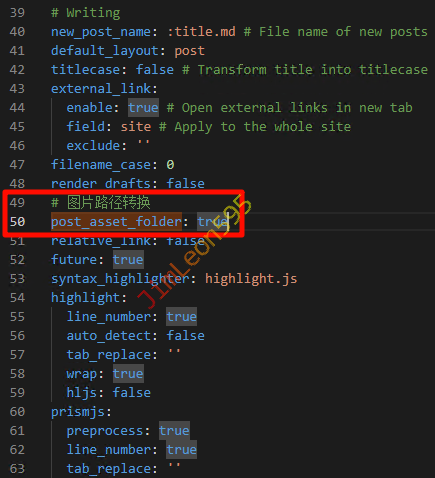
图片路径转换 介绍 为了让我们的照片放在对应的文件夹下面hexo-asset-image 插件
安装插件 1 npm install hexo-asset-img --save
修改 Hexo 配置文件 Markdown 图片格式 然后我们还要把文章中粘贴的图片名改为
{% asset_img "Picture_Name" "" %}
之后我们每次生成新文章时
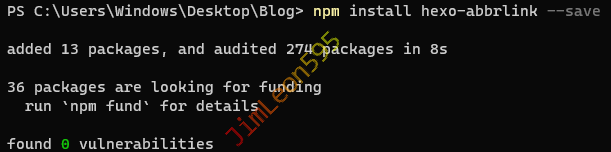
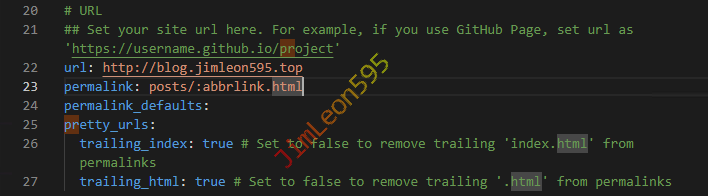
永久链接 介绍 为了不要让我们的文档名经常变来变去Hexo-abbrlink
安装插件 1 npm install hexo-abbrlink --save
修改 Hexo 配置文件 修改 permalink 参数 1 2 - permalink: :year/:month/:day/:title/ + permalink: posts/:abbrlink.html
高级配置 1 2 3 4 5 6 7 8 9 10 11 12 13 14 15 16 17 18 19 20 21 22 23 24 25 26 27 28 abbrlink: alg: crc32 rep: hex drafts: false auto_category: enable: true depth: over_write: false auto_title: false auto_date: false force: false
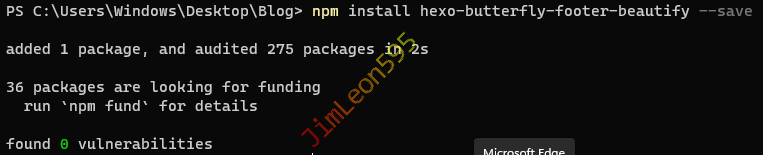
页脚美化 安装插件 1 npm install hexo-butterfly-footer-beautify --save
修改 Hexo 配置文件 1 2 3 4 5 6 7 8 9 10 11 12 13 14 15 16 17 18 19 20 21 22 23 24 25 26 27 28 29 30 31 32 33 34 35 36 37 38 39 40 41 42 43 44 45 46 47 48 49 50 51 52 53 54 55 56 footer_beautify: enable: timer: true bdage: true priority: 5 enable_page: all exclude: layout: type: id name: footer-wrap index: 0 runtime_js: https://unpkg.zhimg.com/hexo-butterfly-footer-beautify@1.0.0/lib/runtime.js runtime_css: https://unpkg.zhimg.com/hexo-butterfly-footer-beautify@1.0.0/lib/runtime.css swiperpara: 3 bdageitem: - link: https://hexo.io/ shields: https://img.shields.io/badge/Frame-Hexo-blue?style=flat&logo=hexo - link: https://butterfly.js.org/ shields: https://img.shields.io/badge/Theme-Butterfly-6513df?style=flat&logo=bitdefender - link: http://creativecommons.org/licenses/by-nc-sa/4.0/ shields: https://img.shields.io/badge/Copyright-BY--NC--SA%204.0-d42328?style=flat&logo=Claris swiper_css: https://unpkg.zhimg.com/hexo-butterfly-swiper/lib/swiper.min.css swiper_js: https://unpkg.zhimg.com/hexo-butterfly-swiper/lib/swiper.min.js swiperbdage_init_js: https://unpkg.zhimg.com/hexo-butterfly-footer-beautify/lib/swiperbdage_init.min.js
文章加密 (hexo-blog-encrypt) 之前一直没找到 Hexo 的加密插件WordPress
hexo-blog-encrypt 1 https://github.com/D0n9X1n/hexo-blog-encrypt
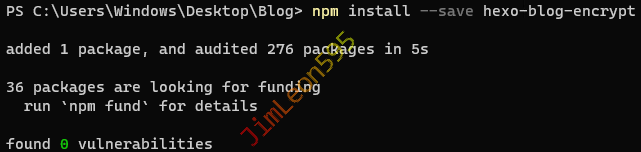
安装插件 1 npm install --save hexo-blog-encrypt
加密方式 Front matter 1 2 3 4 5 6 7 8 9 10 11 12 --- title: Hello World tags: - 作为日记加密 date: 2020-01-23 20:01:23 password: HelloWorld abstract: 有东西被加密了, 请输入密码查看。 message: 您好, 这里需要密码。 theme: xray wrong_pass_message: 抱歉, 这个密码看着不太对, 请再试试。 wrong_hash_message: 抱歉, 这个文章不能被校验, 不过您还是能看看解密后的内容。 ---
Hexo 配置文件 1 2 3 4 5 6 7 8 9 10 11 encrypt: abstract: 有东西被加密了, 请输入密码查看。 message: 您好, 这里需要密码。 tags: - {name: tagName , password: 密码A } - {name: tagName , password: 密码B } theme: xray wrong_pass_message: 抱歉, 这个密码看着不太对, 请再试试。 wrong_hash_message: 抱歉, 这个文章不能被校验, 不过您还是能看看解密后的内容。
Bilibili 追番 (hexo-bilibili-bangumi) 二刺螈都知道的东西
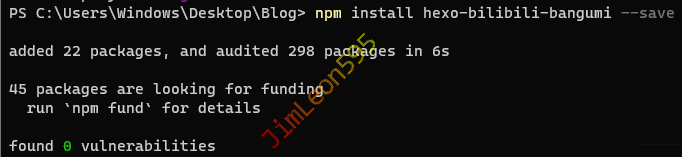
安装插件 1 npm install hexo-bilibili-bangumi --save
添加 Hexo 配置文件 1 2 3 4 5 6 7 8 9 10 11 12 13 14 15 16 17 18 19 20 21 22 23 24 25 26 27 28 29 30 31 32 33 34 35 36 37 38 39 40 41 42 43 44 45 46 47 48 49 50 51 52 53 54 55 56 57 58 59 60 61 62 bangumi: enable: true source: bgmApi bgmInfoSource: 'bgmApi' path: bangumis/index.html vmid: ********* title: '追番列表' quote: '「B站未来有可能会倒闭,但绝不会变质」' show: 1 lazyload: true srcValue: '__image__' lazyloadAttrName: 'data-src=__image__' loading: showMyComment: true pagination: false metaColor: color: webp: false progress: false extraOrder: extra_options: key: value lazyload: enable: false cinema: enable: true path: cinemas/index.html vmid: ********** title: '追剧列表' quote: '「人生没有彩排,每天都是现场直播」' show: 1 lazyload: true srcValue: '__image__' lazyloadAttrName: 'data-src=__image__' loading: metaColor: color: webp: progress: extraOrder: extra_options: key: value
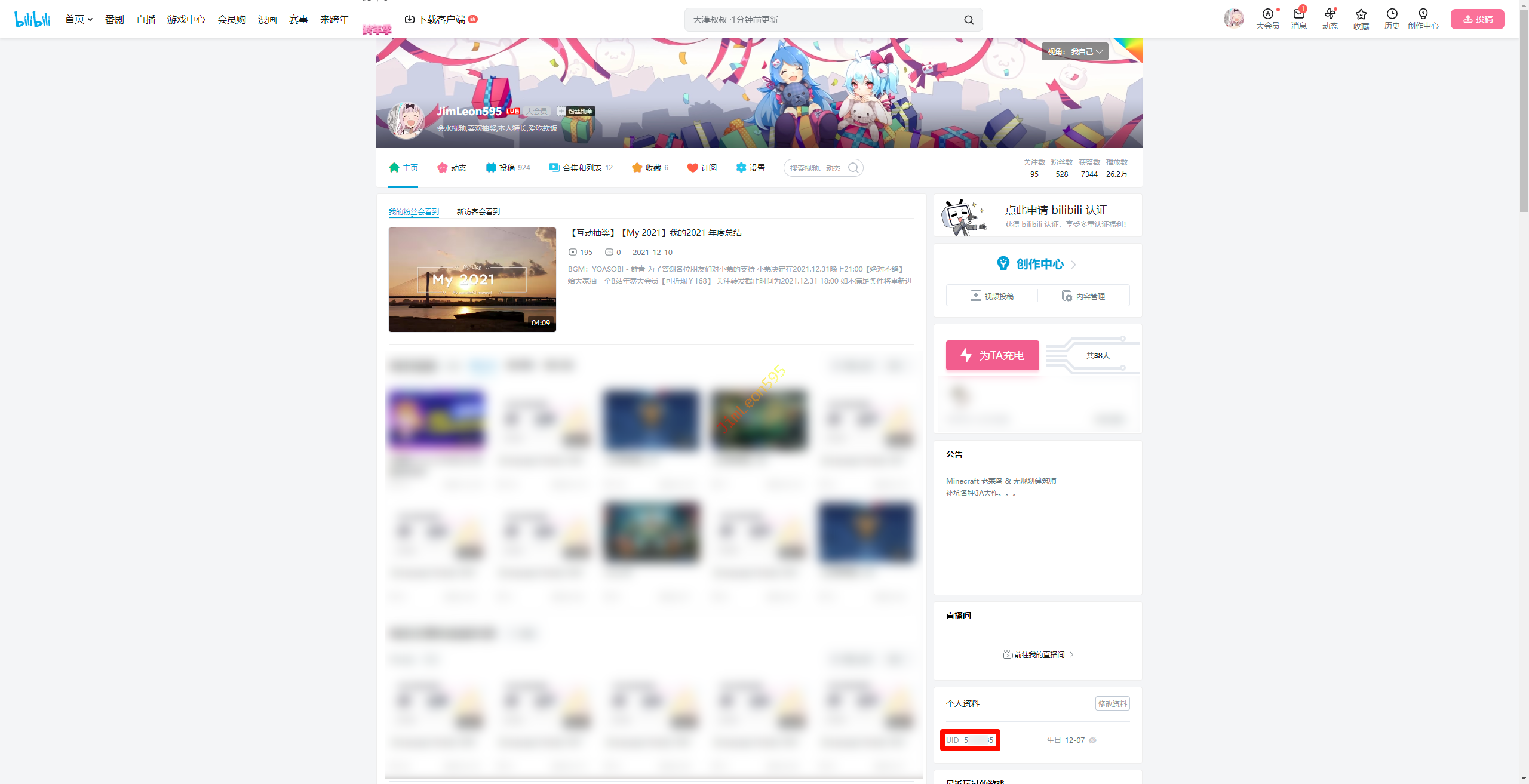
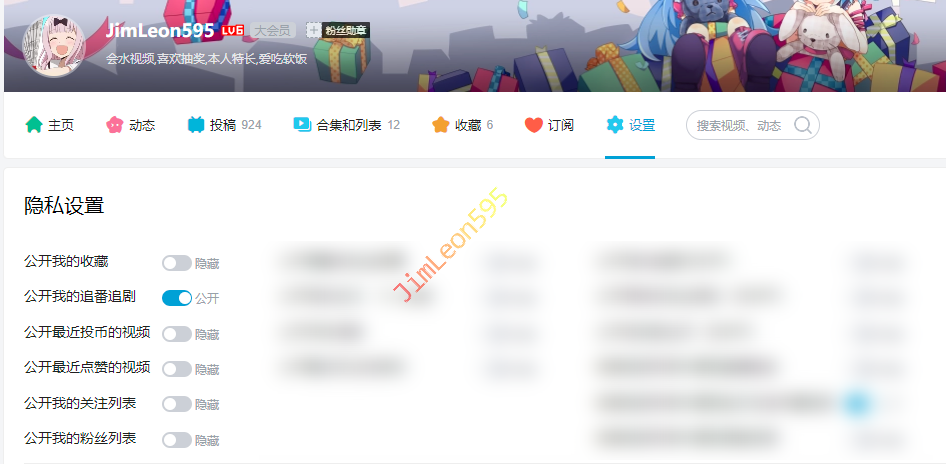
参数详解 enable : 是否启用path : 番剧页面路径,默认bangumis/index.htmlvmid : 哔哩哔哩番剧页面的 vmid(uid),如何获取? title : 该页面的标题quote : 写在页面开头的一段话,支持html语法show : 初始显示页面:0: 想看, 1: 在看, 2: 看过,默认为1loading : 图片加载完成前的loading图片metaColor : meta部分(简介上方)字体颜色color : 简介字体颜色webp : 番剧封面使用webp格式(此格式在safari浏览器下不显示,但是图片大小可以缩小100倍左右), 默认true获取 Bilibili UUID 进入你的Bilibili 用户主页 1 https://space.bilibili.com/
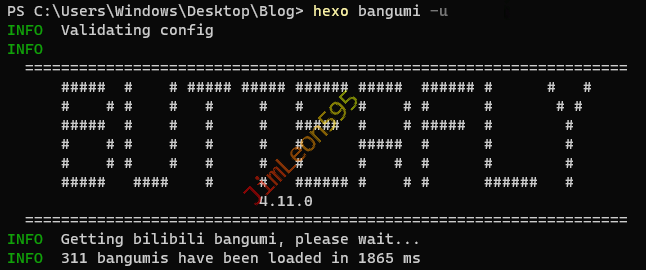
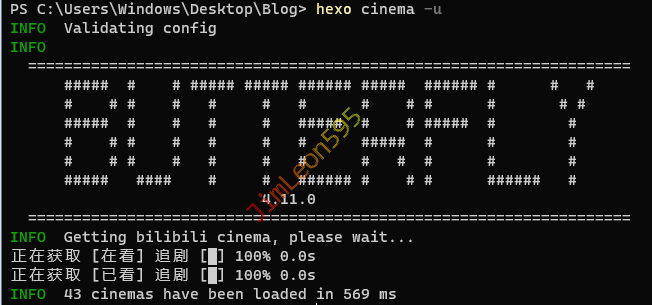
记录下你的 UID 公开我的追番追剧 更新追番追剧数据 Steam 游戏库 (hexo-steam-games) 安装插件 1 npm install hexo-steam-games --save
添加 Hexo 配置文件 1 2 3 4 5 6 7 8 9 10 11 12 13 14 15 16 17 18 19 20 21 22 23 24 25 steam: enable: true steamId: '***************' apiKey: '*********************' freeGames: true path: title: Steam 游戏库 quote: 'G胖亏爆了' tab: recent length: 1000 imgUrl: proxy: host: port: extra_options: key: value
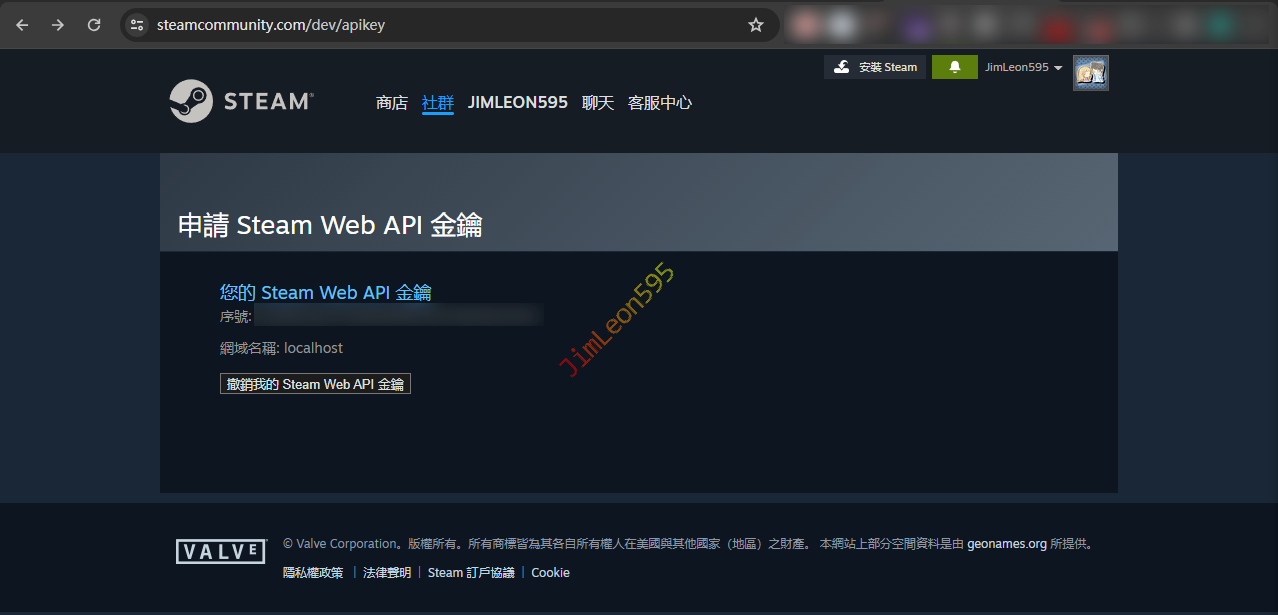
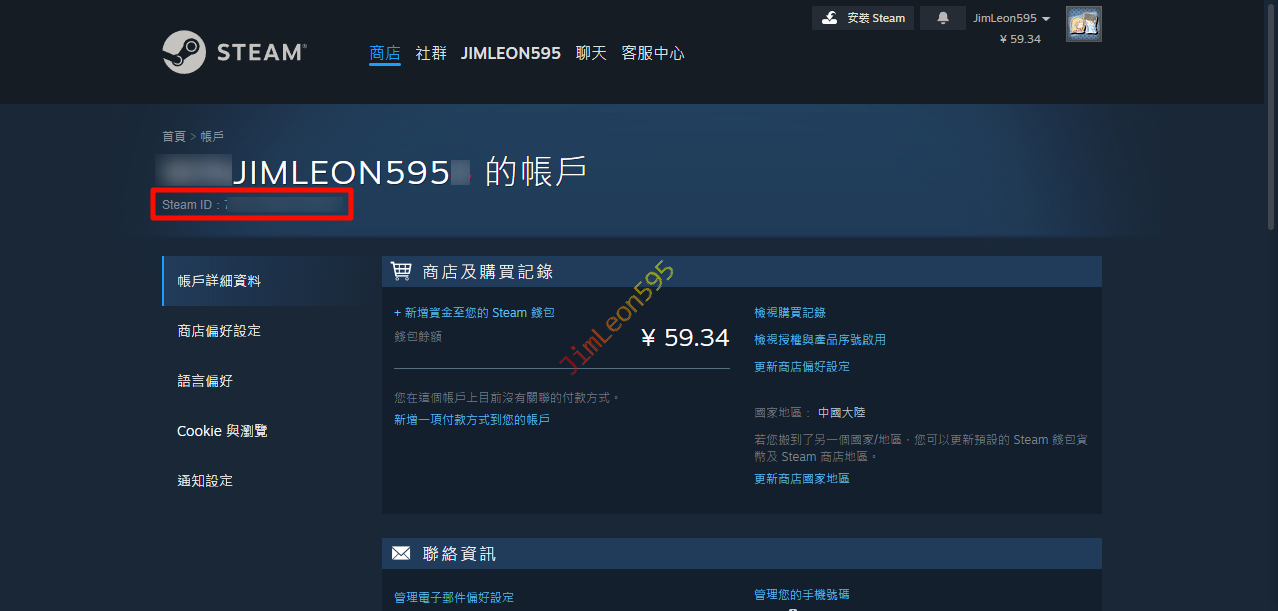
参数详解 enable : 是否启用steamId : steam 64位Id(需要放在引号里面,不然会有BUG), 需要将steam库设置为公开! path : 番剧页面路径,默认steamgames/index.htmltitle : 该页面的标题quote : 写在页面开头的一段话,支持html语法tab : all或recent, all: 所有游戏, recent: 最近游玩的游戏length : 要显示游戏的数量,游戏太多的话可以限制一下imgUrl : 图片链接,在quote下面放一张图片,图片链接到Steam个人资料,可留空proxy : 如果无法访问steam社区的话请使用代理获取 Steam ID & API 直接登录获取 Steam API 1 https://steamcommunity.com/dev/apikey
右上角 账号名 --> 账号详细资料
然后获取到 Steam ID
参考 & 引用 https://butterfly.js.org/posts/ceeb73f/ https://akilar.top/posts/f99b208/ https://www.fomal.cc/posts/eec9786.html https://github.com/HCLonely/hexo-steam-games